
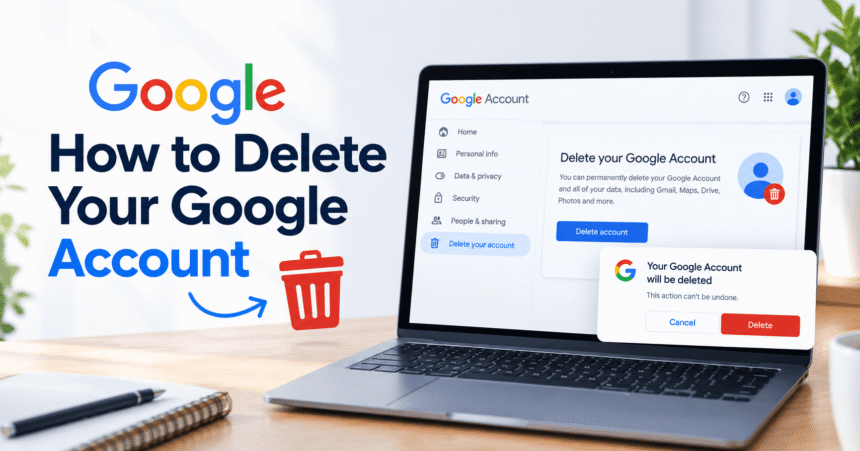
How to delete a Google account: go to myaccount.google.com, sign in, open Data & privacy, scroll to More options, select Delete your Google Account, re-enter your password, confirm the warnings and tick the final boxes. Deleting a Google account permanently removes Gmail, Google Drive, Google Photos, YouTube data, Play purchases and everything else tied to that sign-in. Before you start, download your data with Google Takeout, cancel paid subscriptions and switch any website that uses “Sign in with Google” to another login. This guide covers every step for computer, Android and iPhone, the difference between deleting an account and removing it from a phone, how to delete only Gmail, and what to do if you change your mind.
Last updated: October 2026. Google changes menu names from time to time. If a label looks different, use the search bar on your Google Account page or check the official Google Account Help.
Quick Answer: How Do I Delete My Google Account?
- Open myaccount.google.com in a browser and sign in to the account you want to delete.
- Select Data & privacy in the left menu.
- Scroll down to More options and click Delete your Google Account.
- Enter your password and complete any verification Google asks for.
- Read the list of data that will be deleted and tick the confirmation boxes.
- Click Delete Account.
Your account is deleted straight away, but Google says you may be able to recover it for a short time if you act quickly. After that, the data is gone for good.
Delete a Google Account vs Remove It From Your Phone
This is the most common mix-up. Removing an account from your phone only signs you out on that device. Deleting the account erases it from Google completely.
| Action | What it does | Is data lost? |
|---|---|---|
| Remove account from phone | Signs out of Gmail, Play Store and other apps on that device | No, your account and data stay safe online |
| Delete a Google service (for example Gmail) | Removes only that product, and your Google account stays | Only that service’s data |
| Delete your Google Account | Permanently closes the whole account | Yes, Gmail, Drive, Photos, YouTube and more |
Rule of thumb: if you only want to stop using Google on one phone, remove the account from that phone. If you want Google to erase your account, delete it.
What You Lose When You Delete a Google Account
Deleting a Google account is not like closing one app. It affects everything connected to that sign-in, including:
- Gmail: all emails, contacts and labels, plus your email address. Nobody, including you, can reuse that Gmail username later.
- Google Drive, Docs, Sheets and Slides: files you own are deleted. If other people use them, they lose access. See our guide on how to use Google Docs to understand how sharing works.
- Google Photos: all photos and videos stored in your account, unless you download them first.
- YouTube: your channel, videos, comments, playlists and subscriptions. Review our YouTube settings guide if you only want to change what YouTube remembers.
- Google Play: apps, games, movies, books and in-app purchases linked to the account.
- Chrome sync: saved bookmarks, passwords and history that were synced to the account.
- Paid services: Google One storage, YouTube Premium, Google Voice numbers and other subscriptions.
- Sign-ins on other sites: any app or website where you used “Sign in with Google” may stop working.
What to Do Before You Delete Your Google Account
Deletion cannot be fully undone, so complete this checklist first.
1. Download your data with Google Takeout
Google Takeout lets you export copies of your emails, photos, contacts, calendar and files.
- Go to takeout.google.com.
- Choose which products to include, or select all.
- Pick a file type and size, then click Create export.
- Download the files when Google emails you that the export is ready, and store them somewhere safe. To learn more about safe storage options, read what is cloud storage.
2. Cancel subscriptions and check payments
Cancel Google One, YouTube Premium, Play Store subscriptions and any Google Pay or Play balance you want to use. Subscriptions billed through another service may need to be cancelled there too.
3. Change logins that use your Google account
Banking, shopping, social and work apps may use your Gmail address or “Sign in with Google.” Update the email address and password on each one, or you may be locked out. Our account privacy settings guide shows how to review connected apps.
4. Tell your contacts your new email
Deleted Gmail accounts do not forward mail. Send your new address to friends, colleagues and services before you delete.
5. Make sure you can sign in
Google needs to verify it is you. If you forgot your password, reset it first. A long, unique password is best, and our guide to how to create a strong password explains a simple method.
How to Delete a Google Account on a Computer
- Open a browser and go to myaccount.google.com.
- Click your profile picture if you need to switch to the right account.
- Choose Data & privacy from the menu.
- Scroll to More options.
- Click Delete your Google Account.
- Sign in again when asked.
- Review the summary of what will be deleted. You can download data from this page too.
- Tick the two boxes confirming you understand and accept responsibility for the data and billing.
- Click Delete Account.
How to Delete a Google Account on Android
- Open Settings on your phone.
- Tap Google, then Manage your Google Account.
- Tap Data & privacy.
- Scroll down to More options and tap Delete your Google Account.
- Verify your identity, read the warnings and confirm.
Menu names vary a little between Samsung, Pixel and other phones. If your phone seems slow while you work through these steps, try our guide to how to clear cache on Android.
How to Delete a Google Account on iPhone
iPhone does not have a built-in Google account setting, so you delete it through the Gmail app or Safari.
- Open the Gmail app, tap your profile picture and choose Manage your Google Account. Alternatively, open Safari and go to myaccount.google.com.
- Tap Data & privacy.
- Scroll to More options and tap Delete your Google Account.
- Sign in, review the warnings and confirm.
How to Remove a Google Account From Your Phone (Without Deleting It)
Use this if you are selling a phone or simply want to stop using the account on one device.
- Android: Settings > Passwords & accounts (or Accounts) > select the Google account > Remove account.
- iPhone: in the Gmail app, tap your profile picture > Manage accounts on this device > Remove from this device. If Google was added in Settings, go to Settings > Mail > Accounts and remove it there.
Your account stays active, and you can sign in again later. Before selling a phone, also restore it to factory settings and remember that deleted files can sometimes be recovered, so wipe it properly.
How to Delete Only Gmail but Keep Your Google Account
You can close Gmail without deleting the whole account. This keeps Drive, Photos and YouTube working, but you will need another email address to sign in.
- Go to myaccount.google.com and open Data & privacy.
- Find Download or delete your data and choose Delete a Google service.
- Sign in, then select the trash icon next to Gmail.
- Enter a new, non-Gmail email address to use for signing in, then follow the confirmation email.
What Happens After You Delete a Google Account?
- Immediately: you can no longer sign in, and the account’s services stop working.
- Soon after: Google removes your data from its systems according to its deletion process. Some information may be kept longer where the law requires.
- Your Gmail address: it cannot be reused by you or anyone else.
- Other people: shared files you owned disappear for them, and emails they sent to you will bounce.
Can You Recover a Deleted Google Account?
Possibly, but only if you act soon. Google says you may be able to recover a recently deleted account, and many guides mention a window of roughly 20 days, although Google does not guarantee it.
- Go to Google’s account recovery page.
- Enter your email address or phone number.
- Follow the prompts, answer the questions and use the verification code.
- If recovery is possible, Google will guide you through resetting your password.
If you cannot recover the account, the data is gone, so always export it first.
What If You Cannot Delete Your Google Account?
It is a work or school account
Accounts managed by an employer or school, such as Google Workspace, are controlled by an administrator. Ask your admin to delete it.
You are the Family Group manager
Remove or transfer the family group first, then try again.
You forgot your password
Use the recovery page to reset it. If your account may be hacked, do not delete it yet. Recover it, change the password, enable 2-Step Verification and check for suspicious sign-ins. Learn the warning signs in our guide to how to spot a phishing email.
The option does not load
Update your browser, try a private window, or use another device. Our tech troubleshooting guide covers common fixes.
After Deleting: Clean Up Your Digital Footprint
- Update your other accounts to a new email address, and review settings with our Facebook privacy settings and TikTok privacy settings guides.
- Use a password manager and unique passwords everywhere.
- Turn on two-step verification for banking and key accounts.
- Review official advice from the FTC Consumer Advice site on protecting your personal information.
Frequently Asked Questions About Deleting a Google Account
How do I delete my Google account permanently?
Open myaccount.google.com, go to Data & privacy, scroll to More options and select Delete your Google Account. Verify your identity and confirm. The deletion is permanent once any recovery window ends.
What happens if I delete my Google account?
You lose access to Gmail, Drive, Photos, YouTube data, Play purchases and any service that uses your Google sign-in. Your Gmail address also cannot be reused.
Can I delete my Google account without a password?
No. Google needs to verify your identity. If you forgot the password, use the account recovery page first, then delete the account.
Can I recover a deleted Google account?
Sometimes, if you try soon after deleting. Use Google’s account recovery page. After the recovery period, the account and its data cannot be restored.
How long does it take to delete a Google account?
The account is deleted immediately from your view, but Google may take additional time to remove all data from its systems.
Does deleting Gmail delete my Google account?
No. You can delete the Gmail service only and keep your Google account for Drive, Photos and YouTube.
How do I remove a Google account from my Android phone?
Go to Settings > Accounts (or Passwords & accounts), select the Google account and tap Remove account. This does not delete the account itself.
Can I delete a Google account on my phone?
Yes. On Android use Settings > Google > Manage your Google Account > Data & privacy. On iPhone use the Gmail app or Safari to open your Google Account settings.
Will I lose my photos if I delete my Google account?
Yes, photos stored only in Google Photos are deleted. Download them with Google Takeout before you delete.
Can I reuse my Gmail address after deleting it?
No. Google does not allow a deleted Gmail username to be used again by anyone.
What is the difference between deleting and deactivating a Google account?
Google does not offer a simple “deactivate” button. You can delete the whole account, delete individual services, or remove the account from devices. Deleting is the permanent option.
Will deleting my Google account cancel my subscriptions?
Not always. Cancel paid subscriptions yourself before deletion, and check for billing through other providers.
What if I never use my Google account?
Google may delete accounts that have been inactive for a long time, so sign in occasionally or delete the account on purpose after saving your data.
Final Thoughts
Knowing how to delete a Google account helps you control your data, but the decision should never be rushed. Decide whether you need to delete the whole account, only Gmail or just remove the account from a phone. Download your data with Google Takeout, cancel subscriptions, update the logins that depend on your account, and then follow the steps on myaccount.google.com. If you change your mind quickly, try account recovery straight away. Afterwards, tighten the security of your other accounts with strong passwords, two-step verification and careful privacy settings.
Tip: Not sure yet? Remove the Google account from your phone and use your devices without it for a week. If you do not miss it, export your data and delete the account.