

Last updated: October 2026
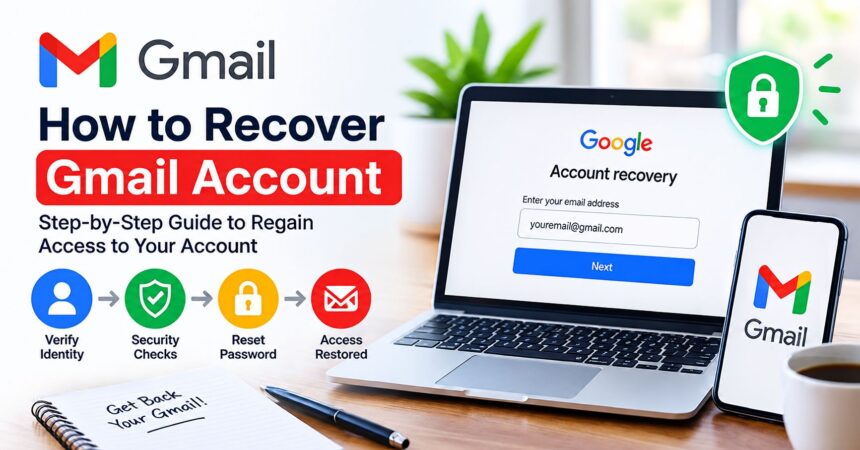
Quick answer: To recover a Gmail account, open Google’s account recovery page, enter your Gmail address, and click Try another way if needed. Verify that it is really you with a code sent to your recovery email or phone, a prompt on a signed-in device, or a password you used before. Then create a new password when Google asks. Do this on a phone or computer you have used to sign in before, from a place you usually sign in from. Google says there is no limit on how many times you can try.
What Do You Need Before You Start?
Gmail account recovery is a verification process. Google asks questions only the real owner should be able to answer. You will have the best chance if you have as many of these as possible:
- The exact Gmail address (for example, yourname@gmail.com)
- Access to your recovery phone number or recovery email
- A device where you were already signed in to the account (phone, laptop or tablet)
- The last password you remember, or an older one
- A stable internet connection and the same Wi-Fi or location you usually use
Not all of these are required. Even if you only have a few, keep going with the steps below.
How to Recover Your Gmail Account If You Forgot the Password
This is the most common problem, and the fix usually takes under five minutes.
- On a computer or phone, go to accounts.google.com/signin/recovery.
- Enter your Gmail address and click Next.
- When Google asks for the last password you remember, enter it. If you do not remember it, enter an older password or make your best guess, then continue.
- Choose a verification method: a code sent to your recovery phone or email, a prompt on a device where you are signed in, or a code from an authenticator app.
- Enter the code or approve the prompt.
- Type a new password when asked, confirm it, and sign in.
Pick a long, unique password this time. Our guide on how to create a strong password explains the rules that actually work.
How to Recover a Gmail Account If You Forgot the Email Address
If you cannot remember the Gmail address itself, use Google’s username recovery tool:
- Go to accounts.google.com/signin/usernamerecovery.
- Enter the recovery phone number or recovery email linked to the account.
- Enter the first and last name that appear on the account.
- Google sends a verification code. Enter it.
- Pick your account from the list of matching usernames and sign in or reset the password.
You can also check old emails, phone contacts, saved passwords in Chrome or your phone, and apps where you signed in with Google. The address is often saved somewhere.
How to Recover a Gmail Account Without a Phone Number or Recovery Email
Losing your recovery phone number is stressful, but recovery is still possible in many cases. Google does not rely on one single method. It looks at several signals to decide if you are the owner.
- Use a trusted device. Try recovery on a phone or computer where you have signed in before and stayed signed in.
- Use your usual location and network. Home Wi-Fi often works better than public Wi-Fi or a VPN.
- Answer as many questions as you can. Use an old password if you remember one, and give your best guess if you do not.
- Choose “Try another way.” This shows every verification option available for your account.
- Check your inbox and spam. If you expect an email from Google, look for one titled “Your Google support inquiry.”
- Try again later. If recovery fails, wait a day or two and try again from the same device. There is no limit on attempts.
If nothing works, you may have to create a new account. See our guide on how to create a Gmail account, and this time add a recovery phone and email right away.
How to Recover a Hacked Gmail Account
If you think someone else is using your account, act quickly. Signs include emails you did not send, a changed password, new recovery details you did not add, or sign-in alerts from unknown places.
- Start with Google’s recovery page and follow the prompts to reset your password.
- Follow Google’s official steps to recover a hacked or hijacked Google Account.
- After you get back in, open the Google Security Checkup and sign out of any devices you do not recognize.
- Check Gmail settings for unfamiliar forwarding addresses and filters, because attackers sometimes add them to keep reading your mail.
- Update your recovery phone and email, and turn on 2-Step Verification.
- Change the password on any other account that used the same password.
Most hacks start with a fake email or login page. Learn the warning signs in our guide on how to spot a phishing email. If you were scammed out of money in Pakistan, you can also report it to the FIA National Response Centre for Cyber Crime.
How to Recover a Deleted Gmail Account
If you recently deleted your Google Account, you may be able to restore it. Google only offers this for a limited time after deletion, so do not wait.
- Go to the recovery page and enter the Gmail address.
- If the account is eligible, Google shows a restore option after you verify your identity.
- Follow the prompts and set a new password.
If the account cannot be restored, the emails, photos and files inside it are gone. Read our guide on how to delete a Google account to understand what is lost, and keep a backup so you never face this again. Google can also remove accounts that stay inactive for a long time under its inactivity policy, so sign in at least once in a while.
What If Your Gmail Is a Work or School Account?
If you use a Gmail or Google account through your employer, school or another organization, the normal steps might not work. Your administrator controls the account, so ask your IT admin to reset your password.
Why Does Google Say “Couldn’t Verify It’s You”?
This message usually appears when Google does not recognize the device, location or network, or when your answers do not match its records. Try these fixes:
- Use a device you have previously used to sign in.
- Turn off your VPN and connect from your regular Wi-Fi.
- Use a normal browser window, not a private or incognito one.
- Enter the exact email address, with no typos.
- Take your time and answer carefully, then try again after a day.
Beware of Gmail Recovery Scams
Scammers target people who are locked out. They post fake “Gmail support” numbers, send messages offering to recover your account for a fee, or ask for your verification code. Remember these facts:
- Google says you cannot call Google for help signing in to your account.
- Never share your password or a verification code with anyone.
- Do not pay anyone who offers to “recover” your account.
- Only use official Google pages that end in google.com.
Read the official Google guide to recovering your Google Account or Gmail for the latest steps.
How to Avoid Getting Locked Out Again
- Add a recovery phone and email. Open your Google Account Security settings and check that both are current.
- Turn on 2-Step Verification. It protects your account even if your password leaks.
- Set up a passkey. Learn more at g.co/passkeys.
- Use a password manager. It stores a unique password for each account.
- Run the Security Checkup regularly. It takes two minutes.
- Review your privacy options. Our guide to account privacy settings shows what to check on every platform.
Frequently Asked Questions
How can I recover my Gmail account?
Go to accounts.google.com/signin/recovery, enter your Gmail address, verify your identity with a code, prompt or old password, and reset your password.
How can I recover my Gmail account without a phone number?
Use a device and location you have signed in from before, choose “Try another way,” and answer the questions as accurately as you can. Use your recovery email if you have one.
How can I recover my Gmail account without a password?
You do not need your password. Use Google’s recovery page and verify with a code, a device prompt or an authenticator app, then set a new password.
How do I recover my Gmail account if I forgot my password?
Open the recovery page, enter your email, click Forgot password, follow the verification steps and create a new password.
Can I recover a deleted Gmail account?
Sometimes. Google may let you restore an account that was deleted recently. After that window passes, the data cannot be recovered.
Can I call Google to recover my account?
No. Google says you cannot call it for sign-in help. Treat any phone number that claims to be Gmail support as a scam.
How long does Gmail account recovery take?
If you can verify with a code or device prompt, it takes a few minutes. If Google needs more review, you may need to wait and try again after a day or two.
Is there a limit to recovery attempts?
No. Google says there is no limit on the number of times you can try to recover your account.
How do I recover my Gmail account if it was hacked?
Reset your password through Google’s recovery page, then run the Security Checkup, remove unknown devices, check forwarding rules and turn on 2-Step Verification.
How do I find my Gmail address if I forgot it?
Use accounts.google.com/signin/usernamerecovery with your recovery phone or email and the name on the account.
Why is Google not sending the verification code?
Check that your phone has signal, look in spam or junk, confirm the phone number or email is correct, wait a few minutes, and try another verification method.
Can I recover an old Gmail account?
Yes, if it still exists. Try the recovery page from an old device or your usual location. Accounts that were deleted or removed for inactivity may not be recoverable.
Key Takeaways
- Start at Google’s official recovery page and use a device and location you have used before.
- You can recover Gmail without a phone number, but it takes more patience and accurate answers.
- If your account was hacked, reset your password first, then check security settings and recovery details.
- Deleted accounts can only be restored for a limited time.
- Never pay for recovery help or share your verification codes.
- Add recovery options, 2-Step Verification and a passkey so this does not happen again.
Need more help with everyday tech problems? Browse our technology tutorials and our tech troubleshooting guide.